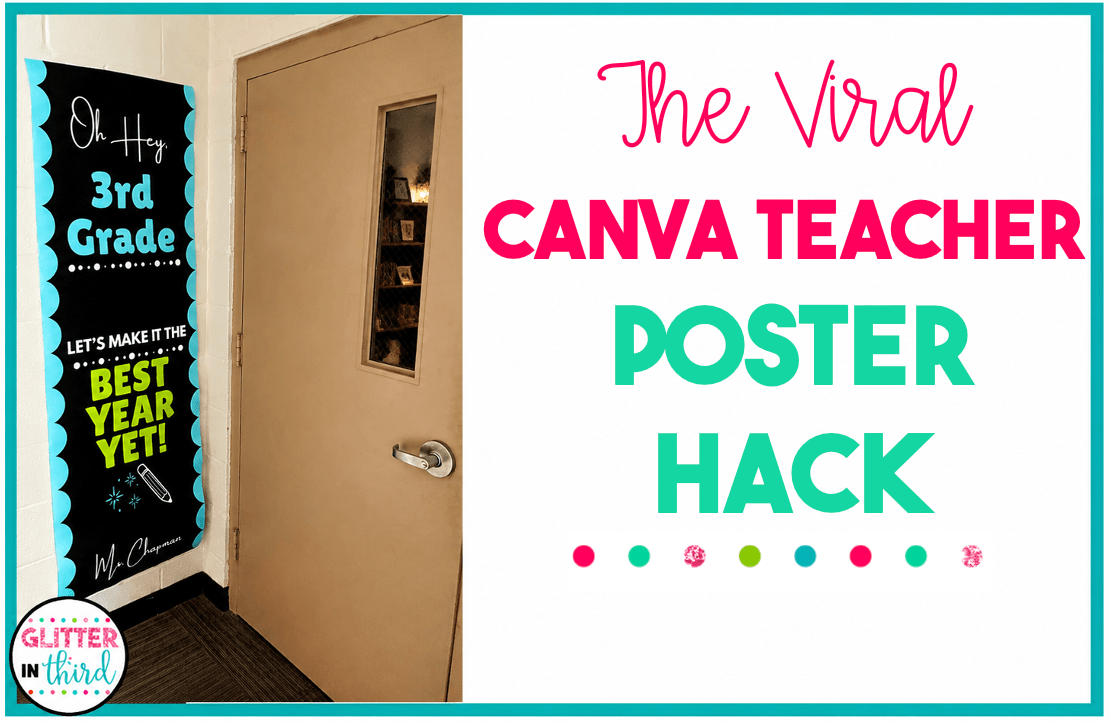

If you’ve been seeing the viral Canva teacher poster all over TikTok, it’s surprisingly easy to make your own.
Okay, apparently giant classroom door posters are a thing now — and obviously I had to make one.
If you’ve been seeing those huge, colorful teacher posters all over TikTok, the best part is that they’re actually really easy to make. You design it in Canva, print it as a large poster at Walgreens, and suddenly you have a giant personalized sign for your classroom door.
And because I already made one, I turned mine into an editable Canva template so you don’t have to start from scratch.
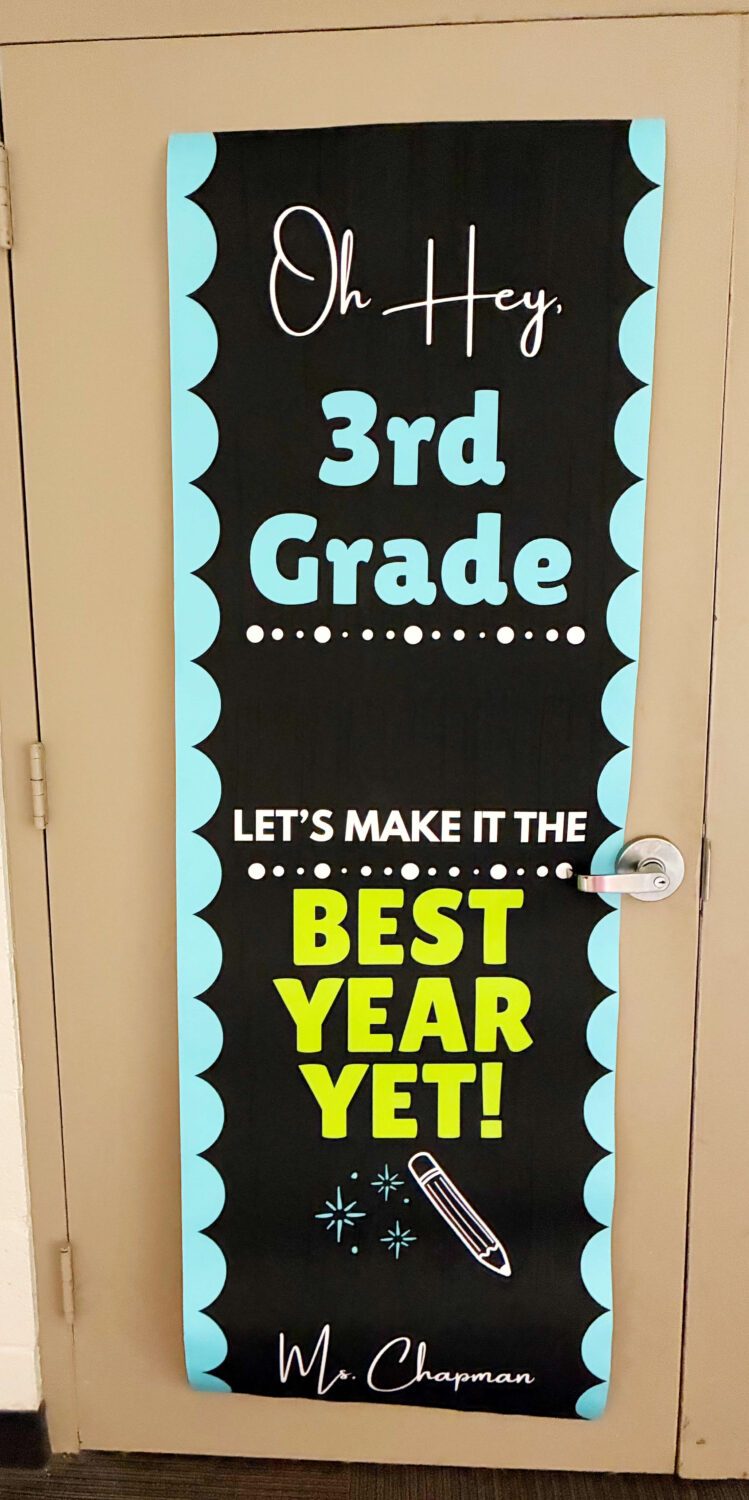
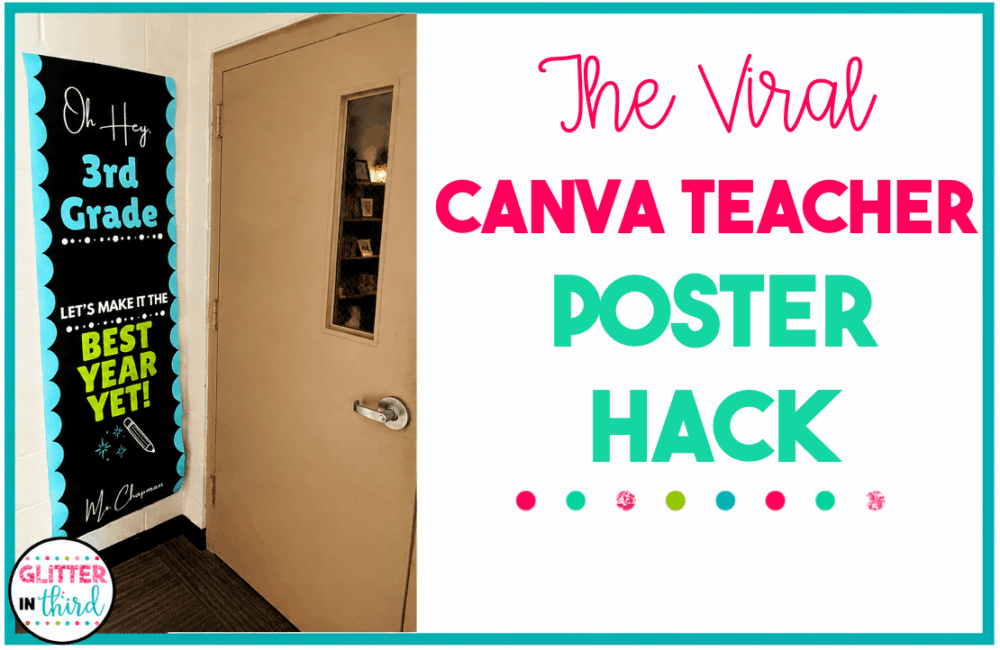
Basically, it’s a giant vertical poster with your name, grade level, and a fun back-to-school message.
Mine says:
OH HEY!
WELCOME TO THIRD GRADE
LET’S MAKE IT THE
BEST YEAR YET!
MRS. CHAPMAN
You can hang it next to your classroom door, use it for back-to-school night, or even put it somewhere inside your classroom.
And YES – you can change the grade and teacher name on my template.
I made the Canva template completely editable so you can personalize it for your own classroom.
You don’t need to recreate the design or figure out all the sizing yourself. Just open the template in Canva, change the grade and teacher name, and you’re ready to go.
Once you open the template, make your own copy and change anything you want.
At the very least, you’ll want to change:
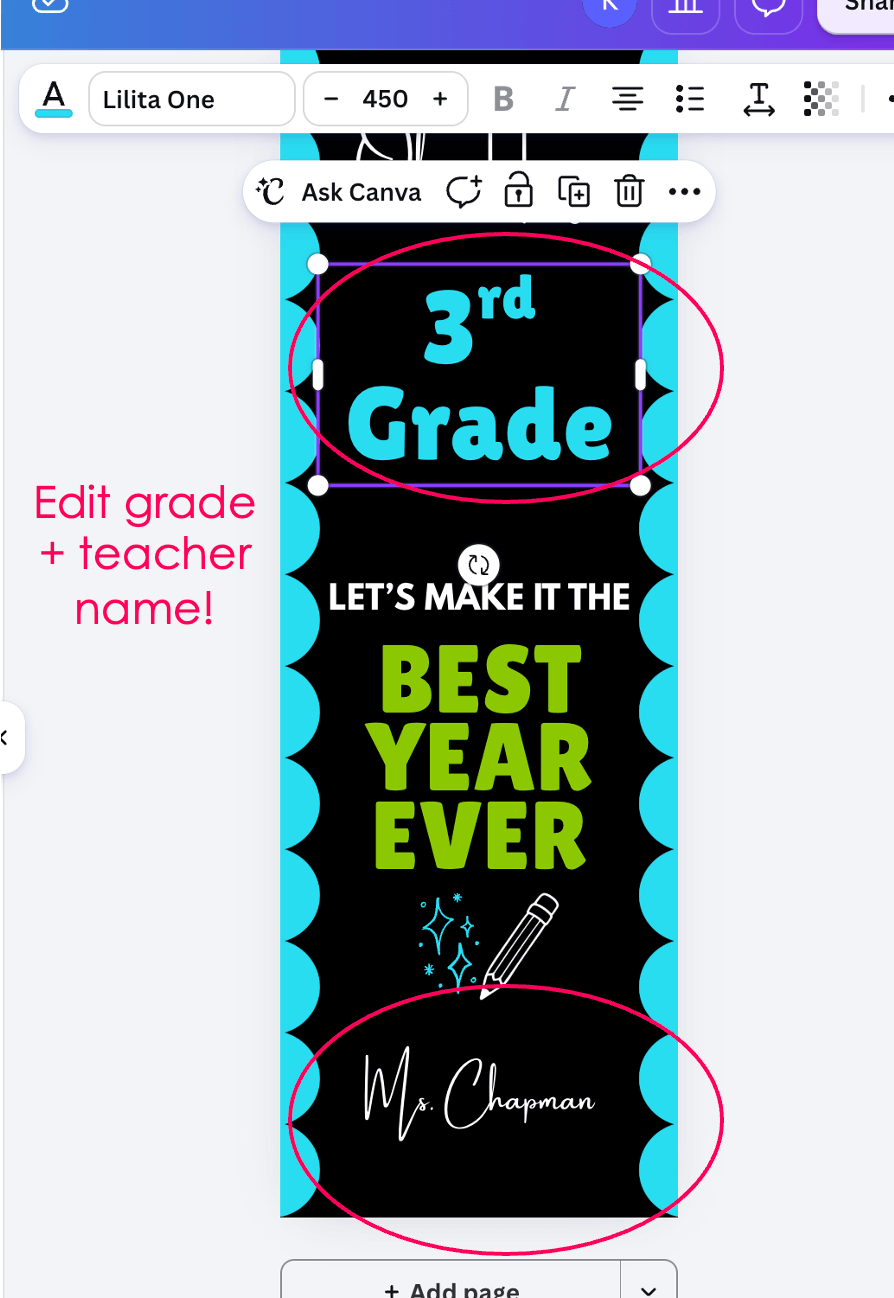
You can also change the colors, fonts, or wording if you want to make it match your classroom.
Once everything looks the way you want it, download the finished design from Canva.
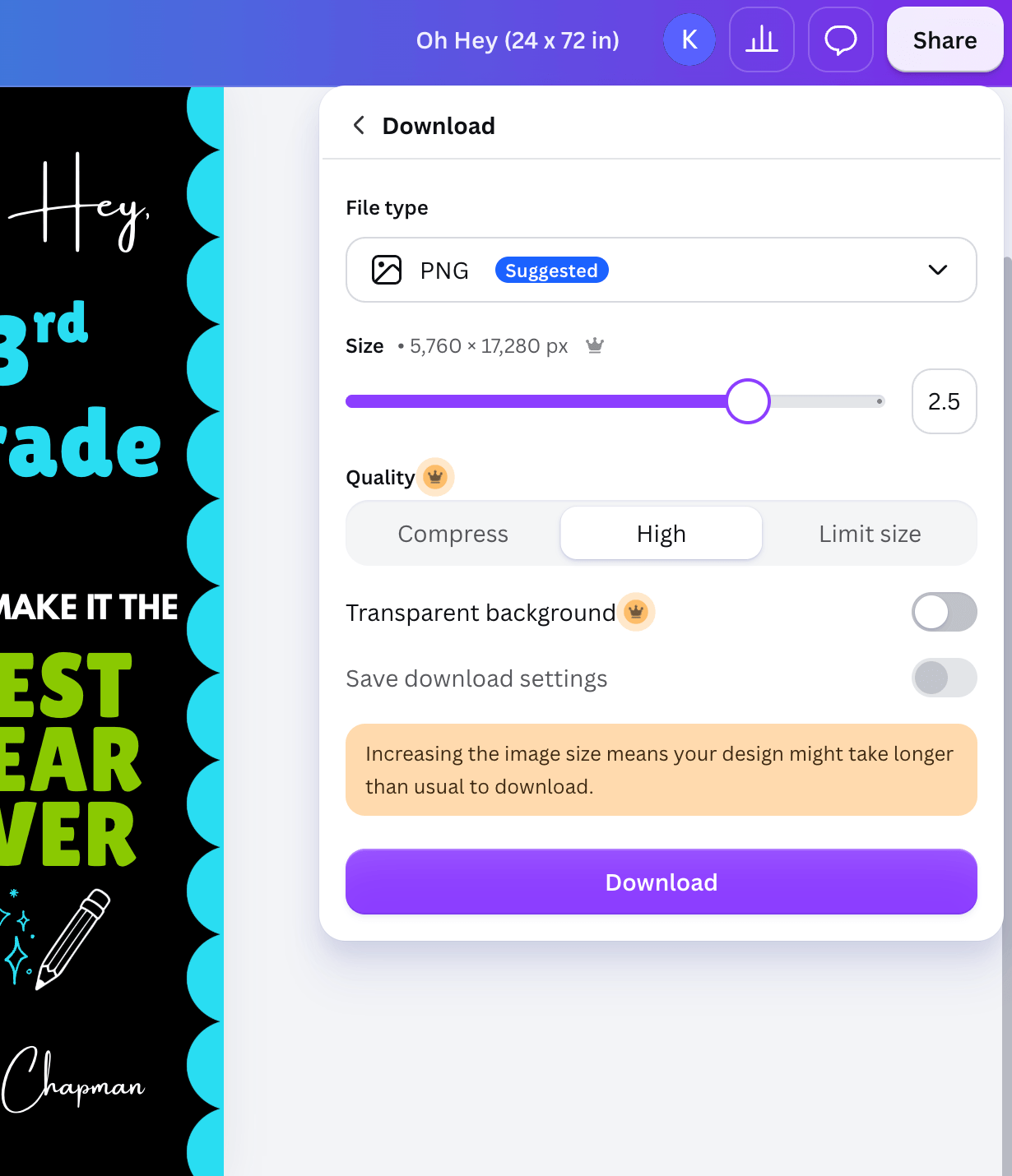
This is the part I learned while doing mine.
Because the poster is SO big, the file can end up being too large to upload to Walgreens.
If that happens, resize your Canva design proportionally to a smaller version before downloading it. I used a 2.5 scale so the file was small enough to upload while still printing nice and sharp.
Then download your design and you’re ready to upload it to Walgreens.
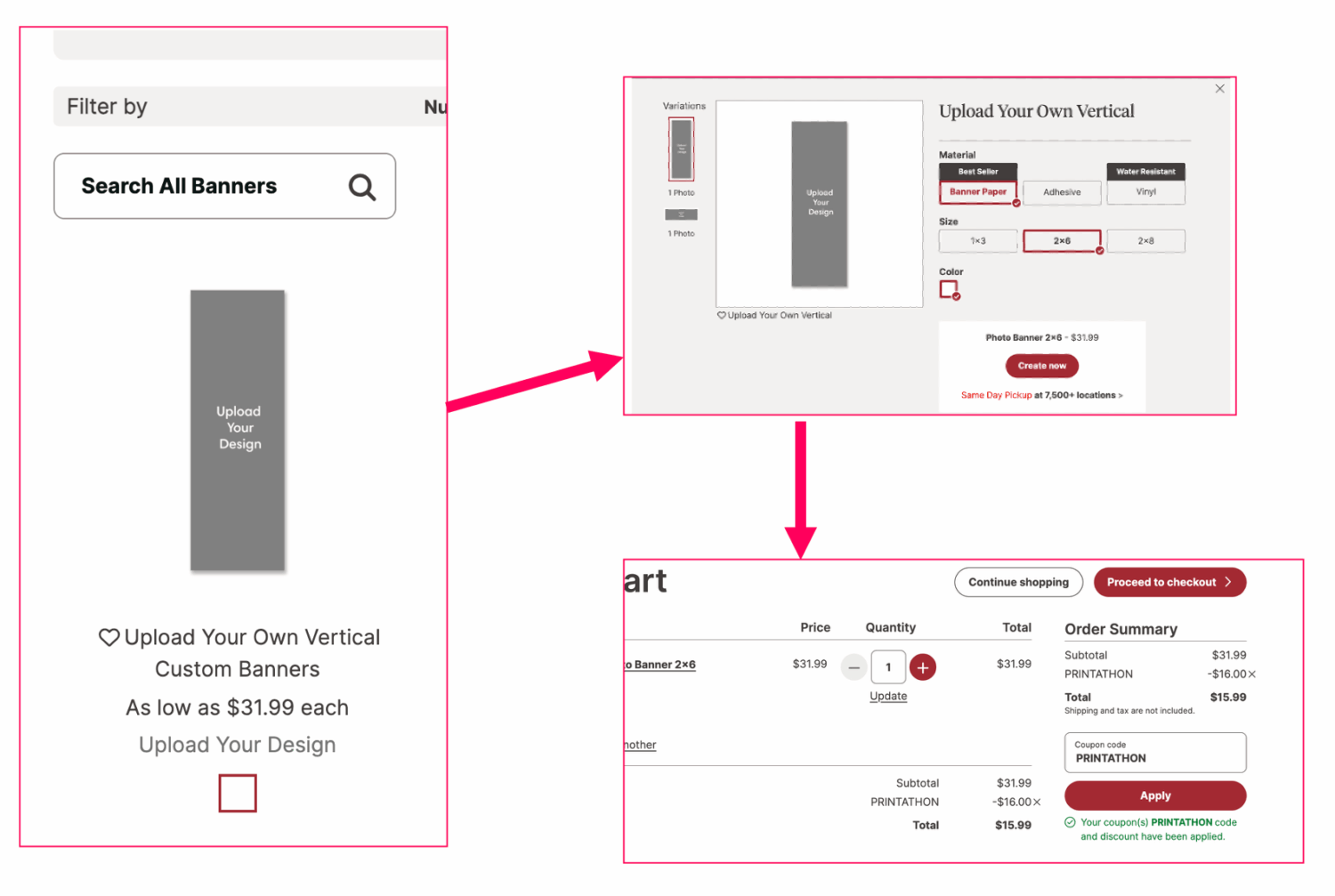
Head to Walgreens Photo online and choose the poster size that matches the template (do the 2×6 banner!).
Upload the file you downloaded from Canva and check the preview carefully before ordering. Make sure none of your words or important design elements are getting cut off around the edges.
Also….. check for a Walgreens photo coupon before you order.
They run photo promotions ALL the time, and when I made mine there was a 50% off coupon available. That made the giant poster way more reasonably priced.
This is one of those back-to-school projects that looks like it took forever but really didn’t.
Personalize the Canva template, download it, send it to Walgreens, and pick it up when it’s ready.
Easy.
And now you have a giant personalized classroom door poster without spending an afternoon trying to design the whole thing yourself.
[GRAB THE FREE EDITABLE CANVA TEMPLATE]
Happy back-to-school!
XOXO,
Kelly